


Click into the keyboard








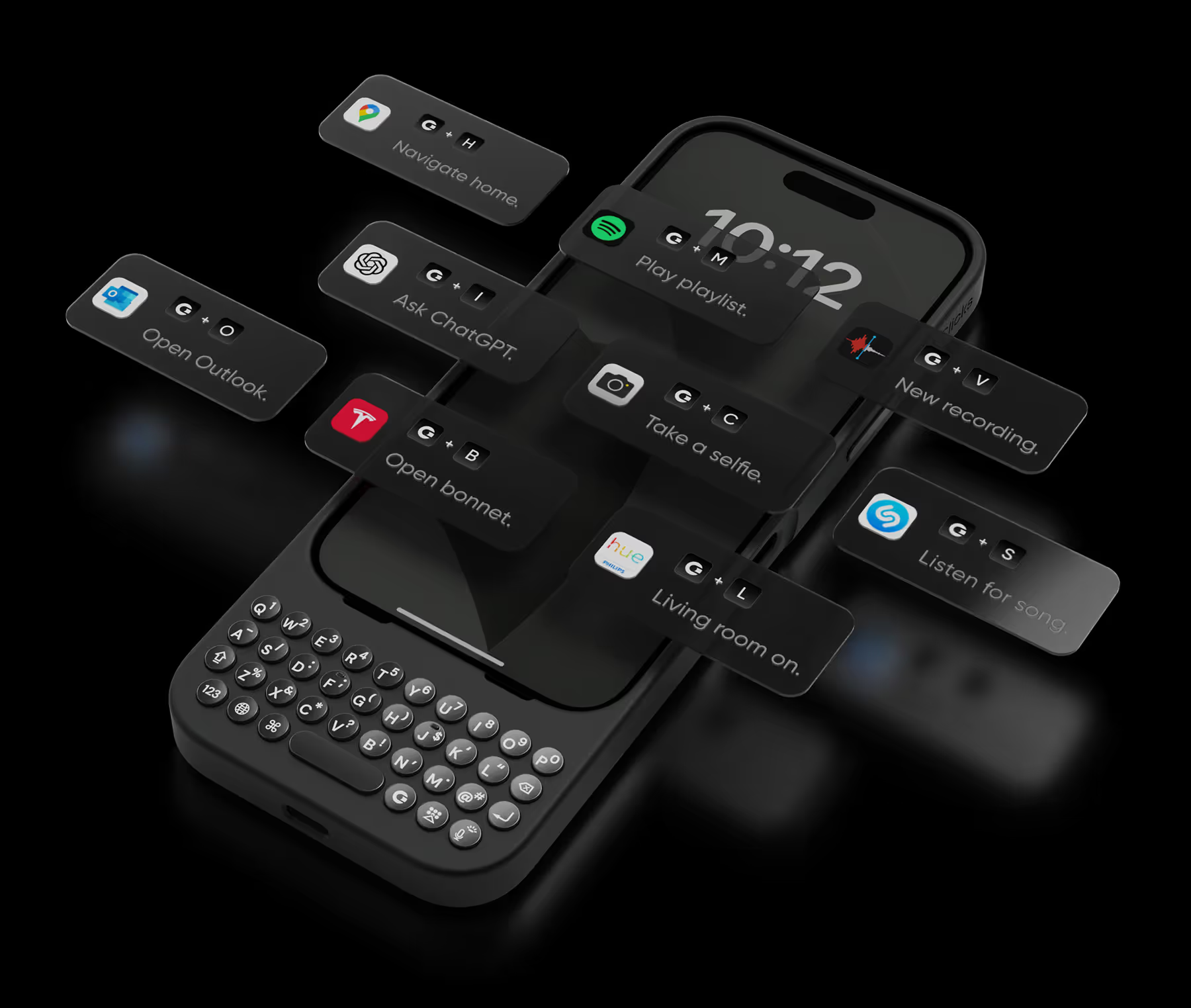


I frequently rely on my phone for work when I don't have my laptop available or rather too lazy to turn it on, and the addition of the keyboard clickskeys has been a fantastic enhancement. It makes tasks, especially typing, much easier and more enjoyable! However, I have noticed that it adds some weight to my iPhone Pro Max. I hope that future versions/iterations will offer just the keyboard without the case, as I prefer not to use cases on my phone to fully appreciate its design and feel. I'm still discovering all the features it offers, and overall, I'm having a really great and enjoyable experience.

Having the keyboard is very agile and using it on the folding phone gives you the option of using it folded, improves the experience and unfolding it makes a large screen. I liked the design and the color! Highly recommended!
It's faster to type than flick input. Since there is no MagSafe, I use a MagSafe ring sticker in the center of the inside of the case.
Clicks has finally made me upgrade from my BlackBerry Key 2..... The keyboard is *almost* as good as a BlackBerry, and combined with the "cursor" mode and shortcuts, there is nothing you can't do with Clicks (in fact, "cursor mode" on Clicks is faster and more reliable than double-tapping on the Key 2). The buttons are sloped, allowing fast typing and "no-look" typing... Finally, I can type with precision and speed on a new phone. There are several shortcuts built in, but if you download the Blackberry Launcher, you will have one-button shortcuts for any app you desire... Clicks truly has made having a physical keyboard possible in a post-Blackberry world. This is a must-have if you like to type accurately and fast on your phone without needing to go to a laptop. Clicks easily snaps off, but I never remove it as typing on glass is awful... The only issue with Clicks is finding a phone holster tall enough to fit the Pixel 9 Pro + Clicks......... (Typed on the glorious Clicks keyboard, of course)
The clicks on the keyboard are comfortable and easy to type and I never press the wrong key at all. I have created 42 keyboard shortcuts using iOS shortcuts and Clicks mode, so most of my work is completed using the keyboard alone. However, when using Japanese, there are many cases where "ー" is used in Japanese words, so a separate key is necessary. Also, it would be very inconvenient if there were not an icon to indicate whether the active input language is Japanese or English. If these two points are improved, I believe that the use of the system among Japanese people will increase significantly.
Having a real keyboard again is fantastic. I can touch type with so few errors again. The feedback from the buttons is great. The keyboard itself is a perfectly ergonomically designed. A great great all round product.
Having this and switching to the Razr has been a game changer for my productivity. I love this keyboard so much I decided to mod it to be able to have a protective hinge mechanism for my phone as seen on other cases. I've heard of this keyboard having some connectivity issues from other users, from my understanding it's the fault of Moto's UI of how it interacts with Clicks. I recommend going into settings and making sure the keyboard is set to always running in the background so that if you close any/all tabs on the Razr, the keyboard will remain connected. There's a YouTube video that goes into further details about this. Since troubleshooting this issue as soon as I've received my case, I have not faced such problems.
I use a Motorola razor+ 2025, and quite honestly, had found little use for the small outer screen when the device was folded closed. A quick glance at a notification now and then, and not much more. With the addition of the Clicks Keyboard Case, however, I am responding to text messages and emails, interacting with social media, setting reminders and tasks for myself… I’m finally getting the utility that I had hoped for out of the device. And then there are those buttons. I had almost forgotten how much I like the tactile feedback of a physical key under my thumbs, the faint “click” as each keystroke registers - a part of my brain is transported back in time, to the ere when QWERTY devices ruled the earth. Far from an anachronism, though, the Clicks Keyboard Case brings the best of the old and new. Tactile keys are great, and made even better with customizable keyboard shortcuts to open apps, navigate around, whatever I want them to do. There is even a dedicated Gemini key to open the virtual assistant. I can’t say enough about this accessory - it looks great on the device, installs in seconds, and includes a 7-day email training guide, each with a bite-sized nugget of additional functionality. Just as advertised, a tool designed for a purpose, deliberately and successfully.
I am enjoying my new Clicks keyboard. It reminds me fondly of my Blackberries of yore and yet provides a tonne of functionality to my Pixel device. Build quality is excellent and the clicking of the buttons is very satisfying.
If you are on your phone a bunch each day for work, you need this. Built great. I can send messages faster with this case. Zero complaints! Love it.
.avif)


.avif)

.avif)


.webp)


