Black Friday ends soon! Save up to 63%!
Shop now

Why you'll love Clicks.

1
Feel satisfying real buttons
Pressing real buttons and hearing that little clicking sound feels more natural and rewarding.
Replay
2
Elevated premium protection
Brushed metal side keys, a microfibre lining, and a new enclosure that feels great while adding protection inside and out.
Replay
3
See more screen
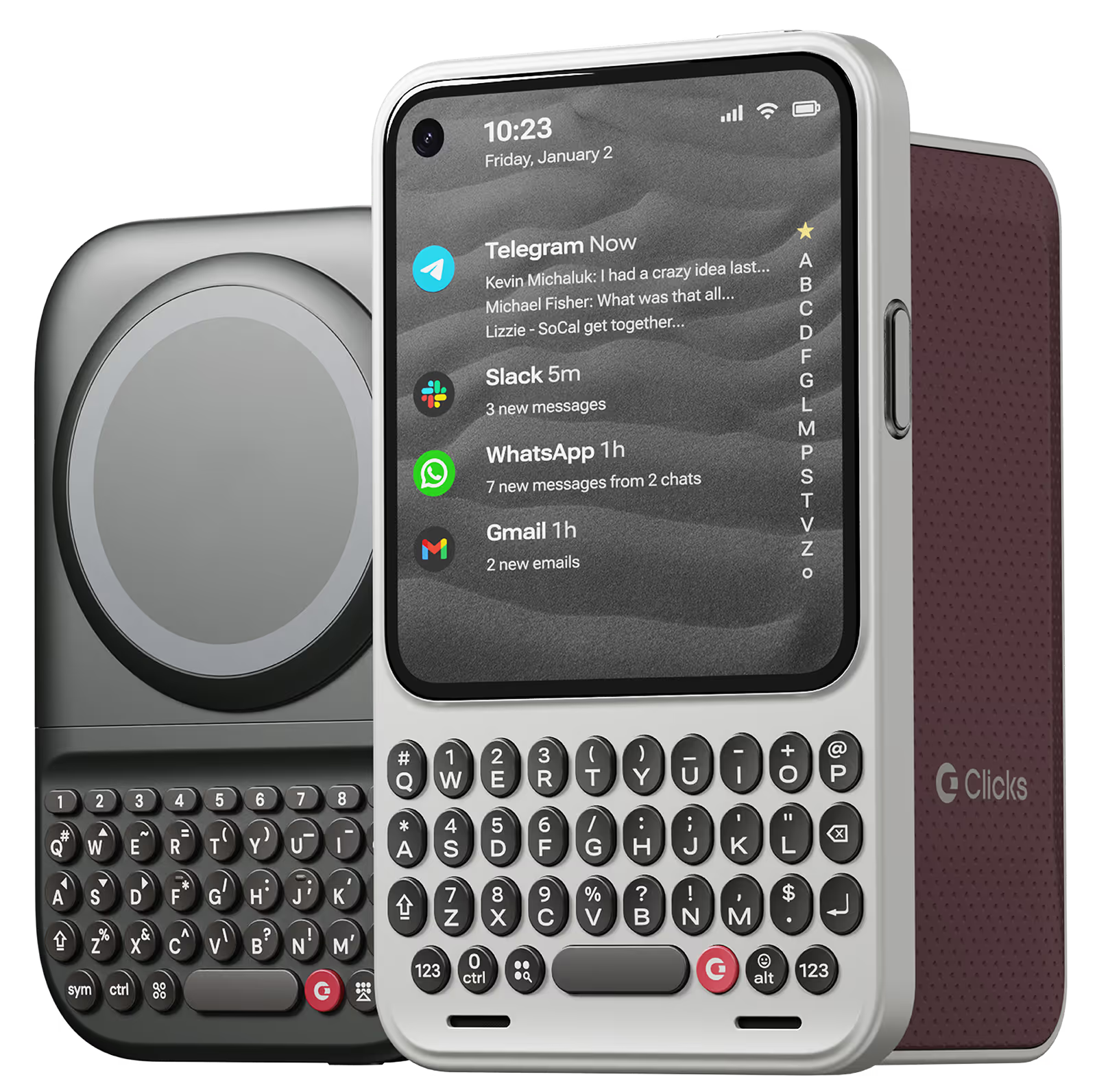
Free your screen, with 50% more usable display to work, play, surf, chat and engage with your content.
Replay
4
Take action, faster
Launch customized shortcuts at the push of a button. Personalize your keyboard to control your home, launch apps, text or call contacts.
Replay
5
Keep your laptop at home
Make more happen right from your phone without needing to crack open your laptop.
Clicks for iPhone
Available for iPhone 16, 15 and 14.
In stock & shipping now.
Buy Now
Clicks for Pixel
Pixel-perfect productivity.
Available now.
Buy Now
Clicks for Razr
Pocket-sized. Power-packed.
Available now.
Buy Now

Buttons with benefits.

More Screen

Get 50% more usable display to work, play, surf, chat and engage with your content.

Customizable Shortcuts

Launch custom actions at the push of a button.

Powerful Productivity

Real buttons that help you work smarter while away from your desk.

What Clicks users are saying.

Based on 5,328 user reviews.
Takamasa Matsushima
Clicks Keyboard for iPhone 16

Thanks to the physical keyboard, the convenience that can only be done with a physical keyboard is the best, such as being able to open the app directly using the function of the iPhone's shortcut app, and directly launch it directly to the designated person who has a phone, message, email, etc. I like it. In addition, it is also a useful feature that you can enter characters and slide the screen even with wet fingers and gloves on your fingers. Of course, my main goal was to be able to see the full screen and to input characters firmly and without making mistakes, but after actually using it, it is a satisfaction as expected. I also made a reservation for RAZR 50 ULTRA, so I can't wait for the shipment at the end of May.

Visit source
良太 篠原
Clicks Keyboard for iPhone 16

もともとBB KEY2を使っていたのですが、さすがにもう厳しくなってきたので、Clicksに乗り換えました。使用感の違いが気になるかなと思っていましたが、もうすっかり慣れてしまいました。 サイズも最初からこういうアイテムだ…と思えば気になりません。

Visit source
裕樹 前.
Clicks for iPhone 15

なれるまで大変だけど、とにかくカッコイイ!!

Visit source
Drew W.
Clicks for iPhone 15 Pro

The keyboard is very useful easily To use and back lit in dark rooms It’s a shame that you can’t have (on the go ) c'est la vie but charging ok

Visit source
Prisco S.
Clicks for iPhone 15

The excitement of having a physical keyboard died down a bit when I realized that the backlight was not very bright for me. So I contacted Clicks and a week later, Clicks updated their app to enable customization of their physical keyboard.

Visit source
Erika F.
Clicks for iPhone 14 Pro

I love the feedback of real buttons. It's so satisfying! Instead of getting my laptop out for longer messages, now I can just use my iPhone with Clicks.

Visit source
Marcos A.
Clicks for iPhone 15

My phone became too big and I couldn’t put in my pocket. The keyboard actually does a clicking sound but after a while it’s too loud, it could be more of a soft typing. The lights of the keyboard go off all the time and when it’s dark I have to press any button to turn it on then start typing which I wish it detected that I’m about to start typing so I can see the keyboard. Rather than that it was good. It takes give you more screen and more precise typing but than the space it gives to the screen its takes from the size of the phone. I prefer having a smaller size phone without the big keyboard.

Visit source
David
Clicks for iPhone 15 Pro

ever since I switched from a blackberry to an iPhone, I’ve been frustrated trying to type with a keyboard and with that darn AutoCorrect constantly making it difficult for me to get a sentence across. For the past decade, I’ve been joking that I wish I can get my blackberry back because I miss the feeling of the textile keypad and being able to actually feel and see and touch the buttons that I want to hit. Then, I found clicks! It’s like they were listening to my thoughts and created a product. That’s exactly what I was hoping for. The Bunce feel perfect, everything works perfectly with my phone, no glitching, no problems whatsoever. If you were sick of fighting with your iPhone and just want something that you can use that is clean, crisp, and you can finally get the satisfaction of typing and hitting the buttons that you want to hit. Then get yourself a Clicks.

Visit source
Greg T.
Clicks for iPhone 16 Pro

it took some getting used to, but it’s well worth it. I enjoy my Clicks!

Visit source
Carlos R.
Clicks for iPhone 16 Pro

I have been using one since founders edition. When upgrading it was the first accessory I repurchased. The keyboard feels so good and the backlight is great at night! I can keep my screen brightness down and clicks still lets me see what button I’m pressing. It’s amazing.

Visit source

Clicks has you covered.
Try for 30 days.

It takes a week or two to get used to typing on real buttons –  you’ll need a little bit of patience and perseverance. Trust our tens of thousands of customers, it’s so worth it!

If it’s just not for you, we’ll give you your money back, no questions asked.