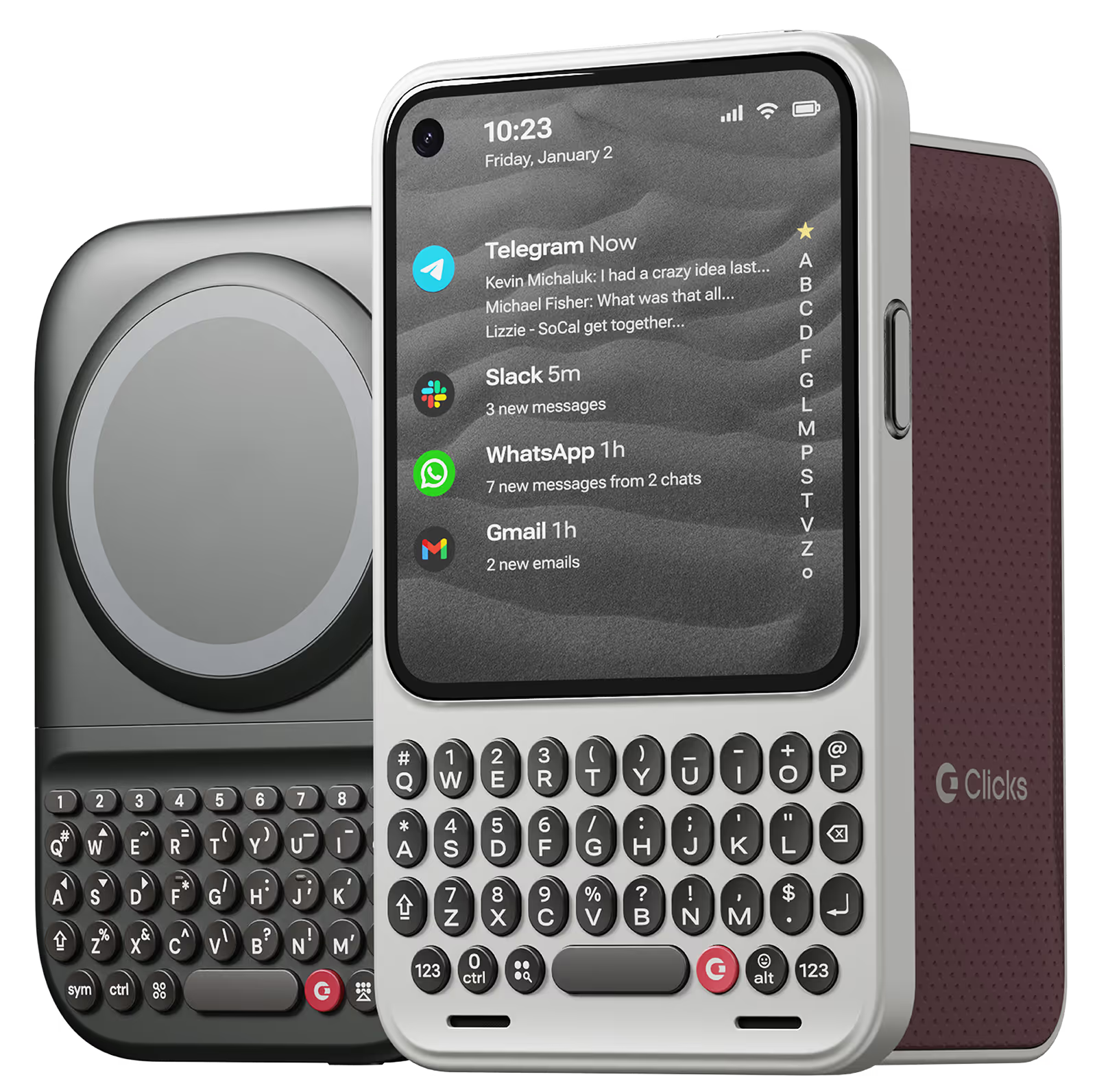
Why you'll love Clicks.

1
Feel satisfying real buttons
Pressing real buttons and hearing that little clicking sound feels more natural and rewarding.
Replay
2
Elevated premium protection
Brushed metal side keys, a microfibre lining, and a new enclosure that feels great while adding protection inside and out.
Replay
3
See more screen
Free your screen, with 50% more usable display to work, play, surf, chat and engage with your content.
Replay
4
Take action, faster
Launch customized shortcuts at the push of a button. Personalize your keyboard to control your home, launch apps, text or call contacts.
Replay
5
Keep your laptop at home
Make more happen right from your phone without needing to crack open your laptop.
Clicks for iPhone
Available for iPhone 16, 15 and 14.
In stock & shipping now.
Buy Now
Clicks for Pixel
Pixel-perfect productivity.
Available now.
Buy Now
Clicks for Razr
Pocket-sized. Power-packed.
Available now.
Buy Now

Buttons with benefits.

More Screen

Get 50% more usable display to work, play, surf, chat and engage with your content.

Customizable Shortcuts

Launch custom actions at the push of a button.

Powerful Productivity

Real buttons that help you work smarter while away from your desk.

What Clicks users are saying.

Based on 5,328 user reviews.
Ralph S.
Clicks for iPhone 15

for the generation that grew up with blackberry and physical keyboards, Clicks is a Godsend! I have missed typing without looking at the screen or they keys, and I’m getting there! A few more weeks I suppose! And definitely starts a few conversations when they see my pull my phone out to type!

Visit source
Eden Orbino
Clicks Keyboard for Razr 2025

Having this and switching to the Razr has been a game changer for my productivity. I love this keyboard so much I decided to mod it to be able to have a protective hinge mechanism for my phone as seen on other cases. I've heard of this keyboard having some connectivity issues from other users, from my understanding it's the fault of Moto's UI of how it interacts with Clicks. I recommend going into settings and making sure the keyboard is set to always running in the background so that if you close any/all tabs on the Razr, the keyboard will remain connected. There's a YouTube video that goes into further details about this. Since troubleshooting this issue as soon as I've received my case, I have not faced such problems.

Visit source
Jake E.
Clicks for iPhone 14 Pro

Really impressed with the overall quality of Clicks. Thought the pricing was expensive but now that I have it and use it I get it. They could double the price and I'd buy it still.

Visit source
Christopher T
Clicks Keyboard for iPhone

Literally obsessed with this phone keyboard. Think blackberry meets iPhone but it’s got hot keys that you can set up with apps to make the overall experience on iPhone super fluid and just make sense. I never realized what I have been missing out on! It’s a must have accessory for iPhone as it can be used for both personal and professional life. I work full time from home and it is perfect for emails and even editing documents! I have found it to be one of the best pieces of tech out on the market currently and highly Recommend to beginners and experts alike! Deff worth the money! Also I love that you can add MagSafe accessories to it like a MagSafe pop socket and phone chains to give it that extra oomf! Obsessed with mine and think everyone should have one. And oh, I got the orange one - spice, I love it!

Visit source
Rurik R.
Clicks for iPhone 15 Pro

Had a problem with the packaging service, but the Clicks staff helped me to get my Clicks with me as soon as it could be delivered. It looks amazing and works really well. Really happy with my purchase!

Visit source
Aron Bodola
Clicks Keyboard for iPhone 16

Typing feels right, I love to use the shortcuts

Visit source
Sarah M.
Clicks for iPhone 14 Pro

Absolutely love this keyboard case! It makes typing on my iPhone so much faster and more accurate than the touchscreen ever could. The keys have a satisfying click and feel great under my fingers. Plus, the backlight is a lifesaver for late-night emails. Super happy with this purchase!

Visit source
Theodore S.
Clicks for iPhone 15

This review was created on my iPhone with clicks and the tools available to proof my text. --- There’s always been a gap between what I can easily do on my phone and what requires my laptop. **Clicks** has significantly narrowed that gap. Tasks I used to avoid on my phone—like juggling multiple apps, working with spreadsheets, or doing in-depth research with detailed document annotations—are now much easier. Clicks has reduced my frustrations by removing the on-screen keyboard that often blocked important parts of my work. It expanded my screen space, making my phone much more efficient. I now feel more confident using spreadsheets without worrying about accidentally messing up a cell. With the ability to create custom shortcuts and increased proficiency with the keyboard, I wouldn’t want to go back to life without Clicks. It has truly transformed my phone into a more powerful mobile office.

Visit source
Andreas L.
Clicks for iPhone 14 Pro

I use Microsoft Outlook for emails on my iPhone and when I'm typing between the keyboard and Outlook icons it takes up over half the screen - I can barely see the message I'm typing. Putting Clicks on gives me so much more space. Total game changer for me.

Visit source
Michael Pisto
Clicks Keyboard for Pixel 9/9 Pro

I love this case. i love the buttons. i love the extra screen real estate. I just love it. Just LOVE IT!

Visit source

Clicks has you covered.
Try for 30 days.

It takes a week or two to get used to typing on real buttons –  you’ll need a little bit of patience and perseverance. Trust our tens of thousands of customers, it’s so worth it!

If it’s just not for you, we’ll give you your money back, no questions asked.